Can I log in and use the app on multiple smartphones at the same time?
Each account can only be logged in on one smartphone at a time.
If you’d like to use another smartphone, please log out from your current device first, then sign in on the new one.
For your security, simultaneous logins on multiple devices are not supported, so you can use the app with peace of mind.
Can I change my email address?
The email address linked to your login account (Google or Apple) is used as it is.
Therefore, you can’t directly change your email address within the app.
If you’d like to use a different email, please sign up again with the new email account of your choice.
I want to change my profile picture and nickname.
Tap the Personal Information Management button at the top of the Settings screen to open a page where you can update your profile picture, nickname, and date of birth.

You can choose a photo from your album or take a new one with your camera to set as your profile picture.
Your nickname can be freely changed, using 1 to 8 characters.
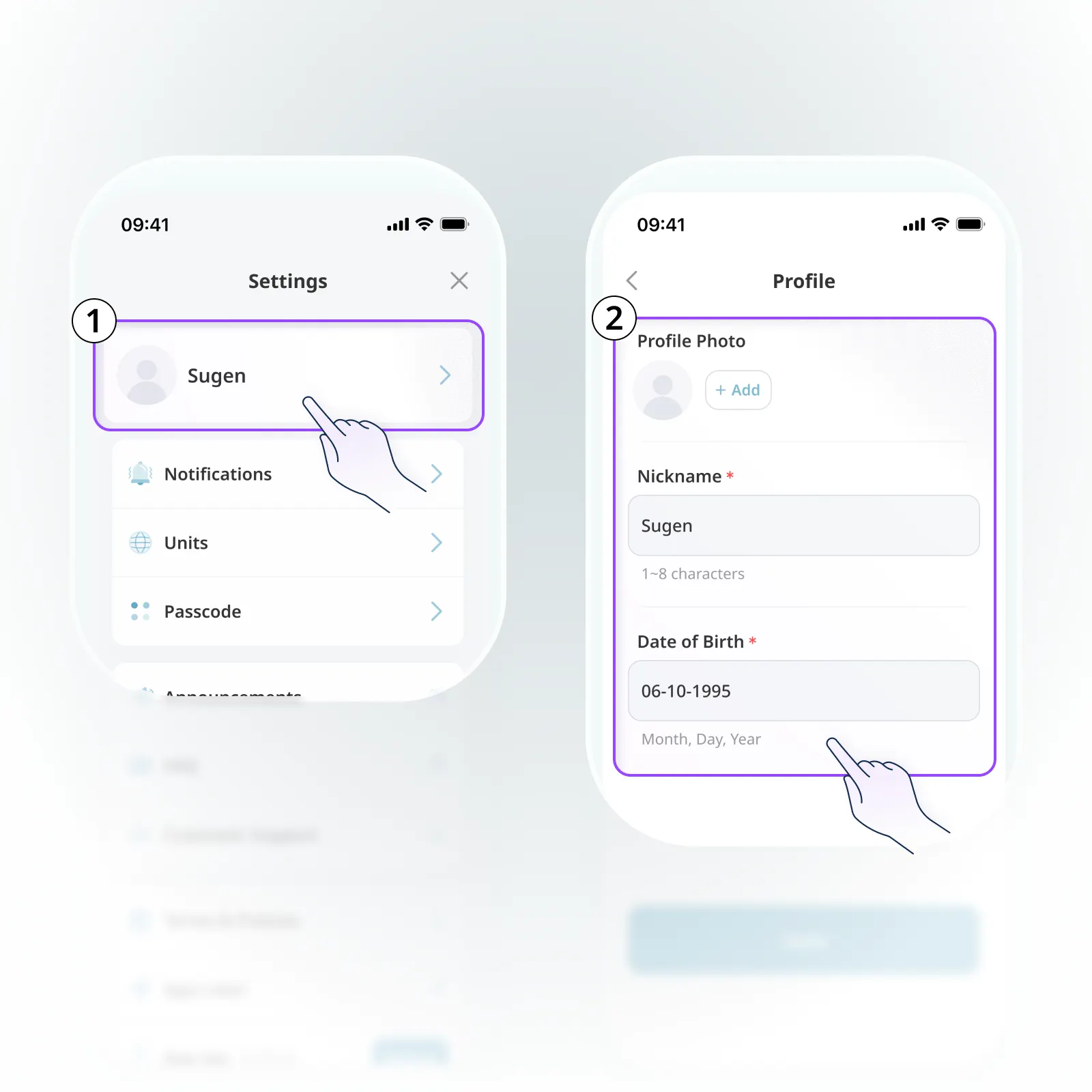
After making your changes, tap Save — the updates will take effect immediately.
How can I set up a passcode?
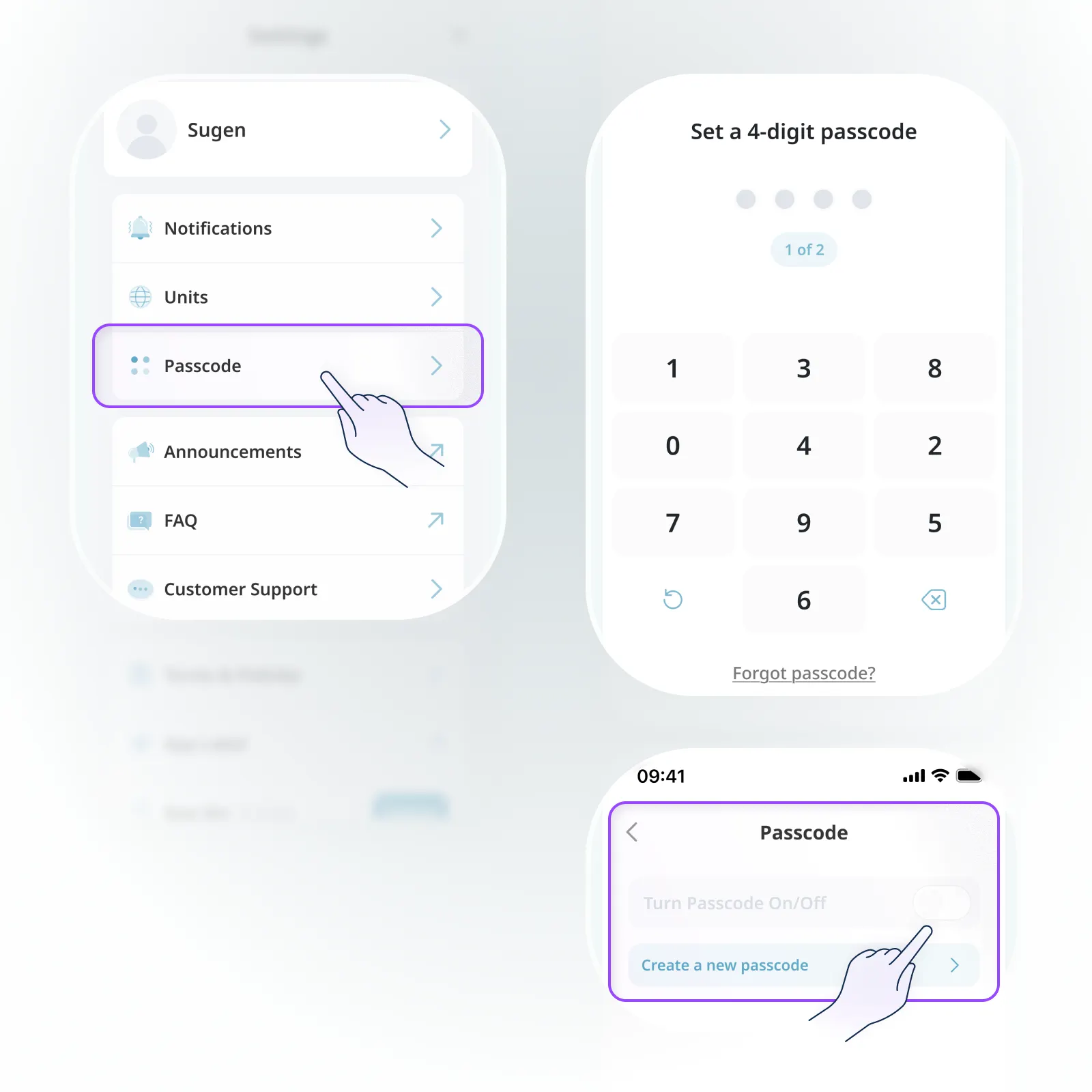
You can set it up from App Settings → Passcode.
•
When setting it up for the first time, you’ll need to create a 4-digit numeric passcode.
•
After that, you can turn it on or off as needed, or change it to a new passcode anytime you like.
The passcode is used to verify your identity when launching the app or returning from the background.